Note: This article contains affiliate links.
When Quality Falls Short
Working or gaming at your desk in low light can quickly lead to eye strain, headaches, and a lack of focus. Relying on overhead room lighting or a traditional desk lamp often results in harsh glares on your screen, creating an uncomfortable and inefficient workspace. For those who spend long hours in front of a monitor, this isn’t just an inconvenience; it’s a productivity barrier that can derail your entire setup and harm your vision over time.
The Path to Refined Performance
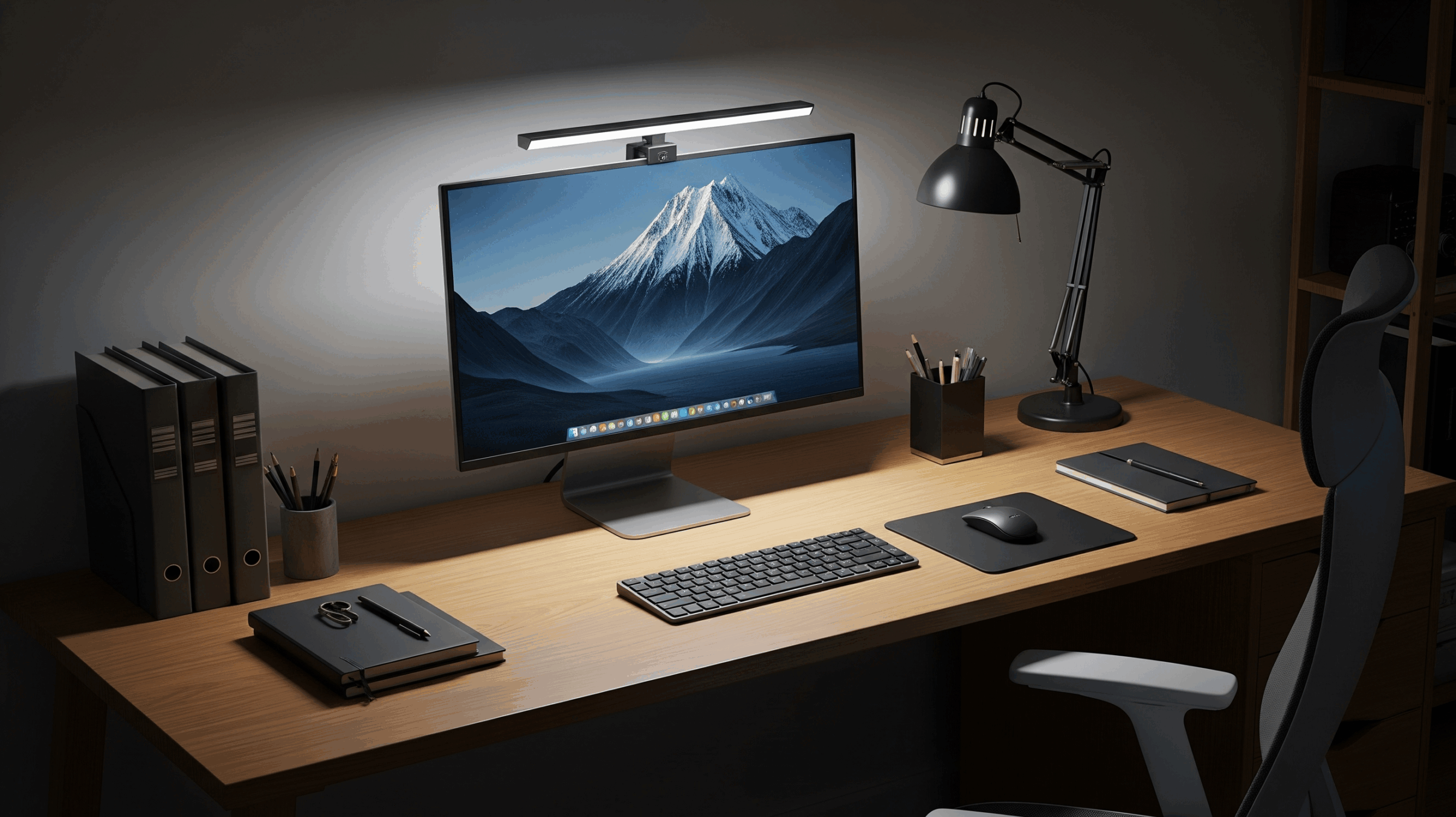
The solution is a dedicated screen light bar. This forward-tech accessory is engineered to illuminate your desk and keyboard while completely eliminating screen glare. By providing a targeted, focused beam of light, it dramatically reduces eye strain, improves visibility for both digital and physical work, and frees up precious desk space. The right screen light bar is a simple, elegant upgrade that makes your entire workspace more comfortable, efficient, and professional.
Top Screen Light Bars in 2025
Xiaomi Mi Computer Monitor Light Bar
Discover how this minimalist light bar offers a sleek design and a surprising amount of functionality for its price point.
Pros:
- Excellent value for its feature set.
- Elegant, minimalist design that blends into any setup.
- Comes with a convenient wireless remote dial for easy control.
- Magnetic design allows for easy angle adjustment and cleaning.
Cons:
- Clamp design may not be compatible with very thick monitors.
- Can be difficult to find in some regions.
BenQ ScreenBar Halo
Experience the ultimate in desktop illumination with this premium light bar that elevates both your workspace and your comfort.
Pros:
- Wireless controller makes adjustments effortless.
- Features a unique backlight to reduce eye strain.
- Compatible with both flat and curved monitors.
- High-quality, durable build with a premium feel.
Cons:
- Very expensive, making it a significant investment.
- The controller requires batteries.
Quntis Computer Monitor Light Bar
Discover how this budget-friendly best-seller delivers top-tier features and quality without the premium price tag.
Pros:
- Exceptional value for the money.
- No blue light hazard and completely flicker-free.
- Includes a wireless remote for convenient control.
- High Color Rendering Index (CRI) for excellent color accuracy.
Cons:
- Some models have touch controls on the light bar itself.
- May not fit all monitors perfectly.
BenQ ScreenBar
Experience the original and definitive screen light bar, designed to provide perfect, glare-free illumination for any desk.
Pros:
- Industry-leading design with flawless, glare-free lighting.
- Highly responsive auto-dimming sensor.
- Intuitive manual touch controls for brightness and color temperature.
- Solid, durable build that feels premium.
Cons:
- High price point compared to many competitors.
- No rear lighting or RGB options.
Making Your Selection
Each of these screen light bars solves the problem of poor desk lighting, but one stands out for its perfect blend of performance, simplicity, and reputation. While the BenQ ScreenBar Halo offers a luxurious, high-tech experience and the Xiaomi and Quntis are excellent budget buys, the **BenQ ScreenBar** remains the definitive choice. Its straightforward, professional design, coupled with its industry-leading glare-free technology, makes it the most reliable and effective upgrade for any serious remote worker, gamer, or streamer.
As an Amazon Associate, I earn from qualifying purchases.