Note: This article contains affiliate links.
The Frustration of Inefficient Tools
In the world of streaming, content creation, and remote work, a seamless workflow is not a luxury—it’s a necessity. Fumbling with keyboard shortcuts, hunting for specific apps, and struggling to manage audio levels in real-time can kill your momentum and professionalism. This scattered approach leads to wasted time, lost opportunities, and a constant, low-grade frustration that holds you back from your best work. For the tech-forward individual, a standard setup is a bottleneck.
The Answer to Uncompromising Standards
The solution is not just another gadget; it’s a command center designed for precision and efficiency. The Elgato Stream Deck+ is that solution. It provides a tactile, visual interface that puts all your essential functions within a single click or twist. It’s an intuitive hub that transforms complex tasks into fluid, automated actions, letting you focus on your content and audience, not your gear. This device is the definitive upgrade for anyone serious about elevating their experience.
Deep Dive: Unpacking the Elgato Stream Deck+’s Excellence
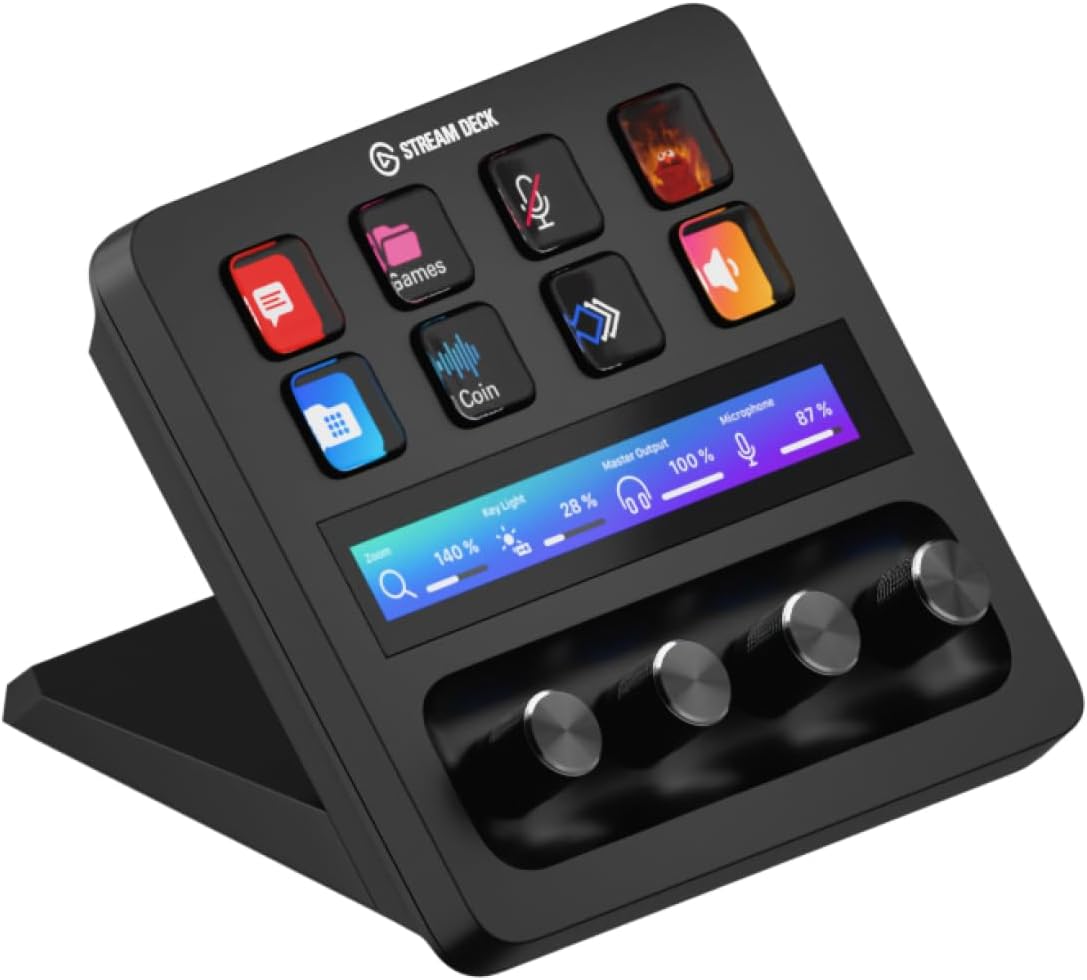
At first glance, the Elgato Stream Deck+ might seem like a simple macro keyboard, but it is so much more. Its true power lies in its unique combination of eight customizable LCD keys, a dynamic touch strip, and four premium, clicky dials. Experience the unmatched control of the dials as you effortlessly adjust audio levels in Wave Link, fine-tune camera settings, or manage your lighting brightness. The LCD keys are crisp, vibrant, and fully programmable, allowing you to trigger complex Multi Actions—like a single button press that launches your stream, switches your scene, and plays your intro sequence. Change the game with the touch strip, which lets you swipe between pages of actions, giving you virtually unlimited controls without clutter. Its best-in-class software is a game-changer, with a drag-and-drop interface and a vast Marketplace of plugins for everything from OBS and Spotify to Photoshop and smart home devices. Click here to discover its full potential and see how the Elgato Stream Deck+ can transform your workflow.
Pros:
- Versatile control with keys, dials, and a touch strip.
- Unmatched software ecosystem and plugin marketplace.
- Excellent build quality with premium, textured dials.
- Comes with Wave Link, a powerful audio mixing software.
Cons:
- Premium price point compared to button-only decks.
- Fixed, built-in stand is not adjustable.
Tailored for the Forward Tech Thinker
The Elgato Stream Deck+ is for the individual who views their workspace as a cockpit. It’s for the content creator who demands granular control over their production, the remote worker who wants to streamline their conference calls, and the power user who wants to automate repetitive tasks. If you believe that efficiency is key and are ready to invest in a device that will accelerate your workflow and elevate your results, this is your next essential purchase.
Your Next Essential Upgrade
Ultimately, the Elgato Stream Deck+ is more than just a piece of hardware; it’s an investment in your productivity. By seamlessly integrating with your applications and giving you a new level of command, it not only saves you time but also inspires a more professional, fluid approach to your work. Stop fumbling and start creating. Take control of your setup today.
Get the Elgato Stream Deck+ on Amazon – 4.7 out of 5 stars
As an Amazon Associate, I earn from qualifying purchases.