Your desk is your command center, whether you’re a gamer, a streamer, or a remote worker. It’s where you spend hours, and over time, it gets dirty. Dust, crumbs, and fingerprints don’t just look bad; they can impact the performance and longevity of your expensive gear. A sticky keyboard, a smudged monitor, or a dust-filled PC can slow you down and shorten the life of your equipment.
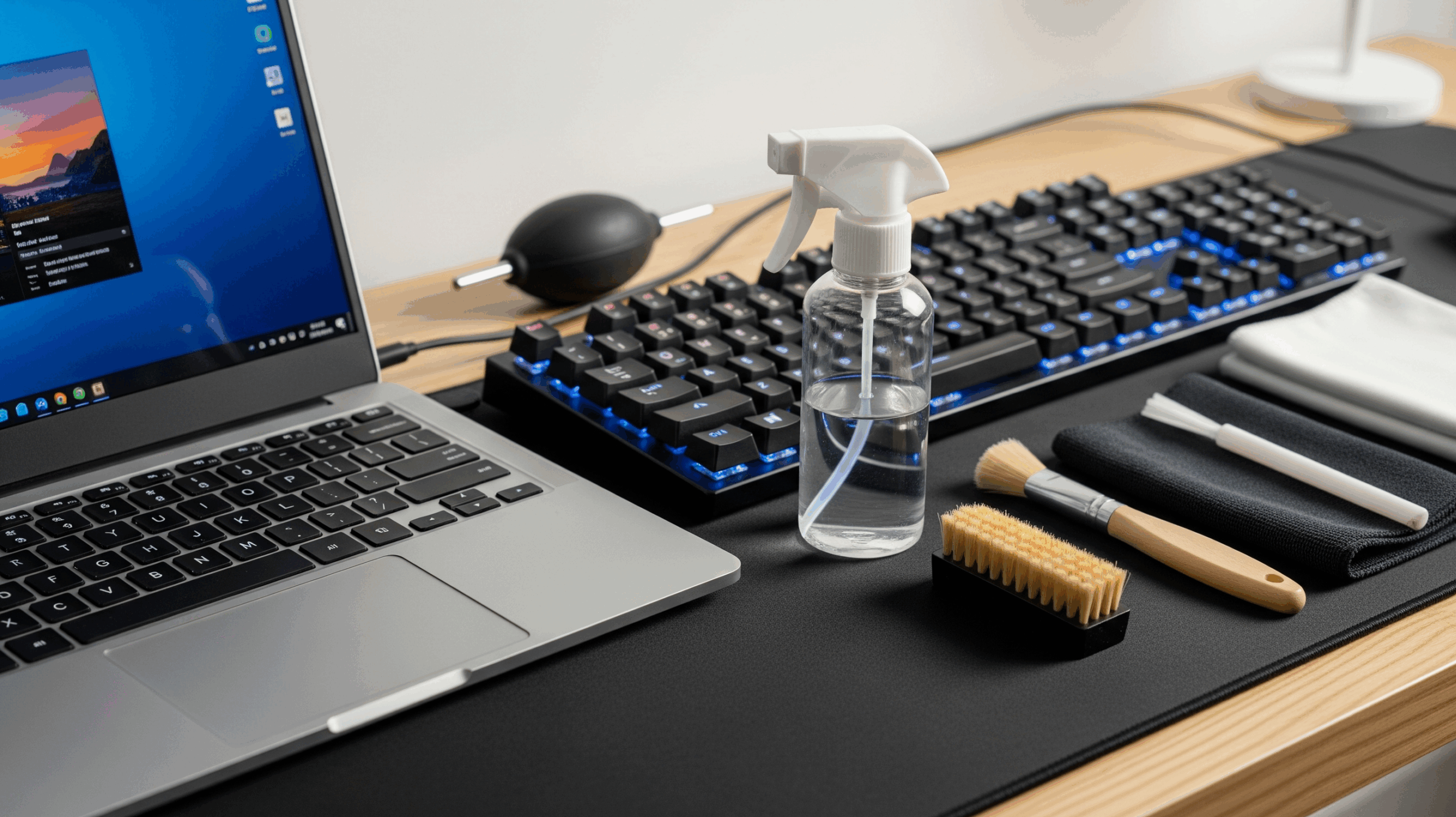
The solution is simple: a high-quality cleaning kit designed specifically for electronics. Using the right tools to keep your tech clean ensures every keypress is precise, every detail on your screen is crisp, and your devices run at peak efficiency. We’ve compiled a list of top-rated cleaning kits that will help you maintain a pristine and efficient workspace.
SIN SHINE 7-in-1 Electronics Cleaner Kit
This compact, all-in-one kit is a powerhouse for keeping your entire setup immaculate. It’s perfect for everything from clearing crumbs out of your mechanical keyboard to deep-cleaning your earbuds. The kit’s thoughtful design and variety of tools make it an essential for any desk.
Pros:
- Versatile: The 7-in-1 design includes a variety of tools, so you have everything you need in one place.
- Targeted Cleaning: Features a keycap puller for deep keyboard cleaning, and a flocking sponge to tackle dirt inside earbud cases.
- Compact Design: All the tools store neatly inside the case, making it easy to keep your desk organized.
- Effective Brush: The high-density brush is excellent for sweeping away dust from monitors, keyboards, and other surfaces.
Cons:
- Small Solution Bottle: The included spray bottle for screen cleaning is small and will need frequent refilling.
- Material Quality: Some users feel the plastic construction could be more durable.
Customer Rating: 4.5 out of 5 stars
AFMAT Electric Air Duster
Ditch the old cans of compressed air. This rechargeable electric duster is a modern, eco-friendly, and powerful alternative. It delivers a continuous blast of air to effortlessly remove dust from hard-to-reach places like inside your PC tower or between keyboard keys.
Pros:
- Reusable and Eco-Friendly: Say goodbye to expensive, disposable cans of compressed air that run out quickly.
- Powerful Airflow: Provides a consistent and strong blast of air, far more effective than traditional cans.
- Cordless and Rechargeable: The built-in battery offers mobility and can be recharged via USB.
- Multi-Use: Comes with various nozzles, making it suitable for a wide range of devices beyond just your computer.
Cons:
- Noise Level: The motor can be quite loud when in use.
- Bulkier than a Can: It’s larger and heavier than a traditional compressed air can, which may affect portability.
Customer Rating: 4.6 out of 5 stars
WHOOSH! Award-Winning Screen Cleaner Kit
Your monitor is the window to your digital world, and fingerprints and smudges can ruin the view. WHOOSH! is a highly-rated, professional-grade cleaner that leaves screens sparkling and streak-free. It’s trusted by professionals and perfect for all your display devices.
Pros:
- Streak-Free Shine: This formula is designed to remove fingerprints and smudges without leaving any residue.
- Safe for All Screens: It’s alcohol and ammonia-free, making it safe for all types of displays, including TVs, laptops, and tablets.
- Includes Microfiber Cloth: The kit comes with a high-quality microfiber cloth for optimal results.
- Non-Toxic: The plant-based formula is non-toxic and safe to use around your home and office.
Cons:
- Screen-Specific: This product is designed specifically for screens and isn’t a full-desk cleaning solution.
- Higher Price Point: It can be more expensive than some generic cleaning sprays.
Customer Rating: 4.6 out of 5 stars
OXO Good Grips Electronics Cleaning Brush
Sometimes the simplest tools are the most effective. The OXO Good Grips brush is a small but mighty tool for daily desk maintenance. It features a soft, retractable brush to sweep away dust and crumbs, and a small silicone wiper for those stubborn smudges.
Pros:
- Compact and Portable: The retractable design makes it easy to toss in a bag or a desk drawer without collecting dust.
- Dual-Sided Functionality: Features a soft brush on one end and a silicone wiper on the other for different cleaning tasks.
- Ergonomic Handle: The classic OXO Good Grips design is comfortable and easy to hold.
- Simple and Effective: It’s a no-frills tool that does a great job of keeping your keyboard and screen clean between deeper cleanings.
Cons:
- Limited Scope: It’s a great tool for surface cleaning but won’t replace a full cleaning kit.
- Wiper is Small: The silicone wiper is effective but may be too small for larger screens.
Customer Rating: 4.7 out of 5 stars
Synopsis: Our Top Pick
A clean desk is a productive desk, and a good cleaning kit is the first step. While all these products offer great solutions, the SIN SHINE 7-in-1 Electronics Cleaner Kit stands out as the best overall choice. Its comprehensive and compact design gives you a wide range of tools to tackle every part of your setup, from keyboards to screens and earbuds. It’s the single most effective tool for keeping your entire workspace in peak condition.
As an Amazon Associate, I earn from qualifying purchases.