Note: This article contains affiliate links.
Slow Storage Slows Everything Down
There’s nothing more frustrating than a high-end PC build being bottlenecked by slow storage. Waiting for large files to transfer, enduring lengthy game load screens, or experiencing stuttering during video editing are all symptoms of an outdated or underperforming SSD. For the forward-tech user, these setbacks are not just inconvenient; they’re a direct hit to productivity and a waste of valuable time. The core problem? Your storage isn’t keeping up with your demands.
Unlocking True Potential
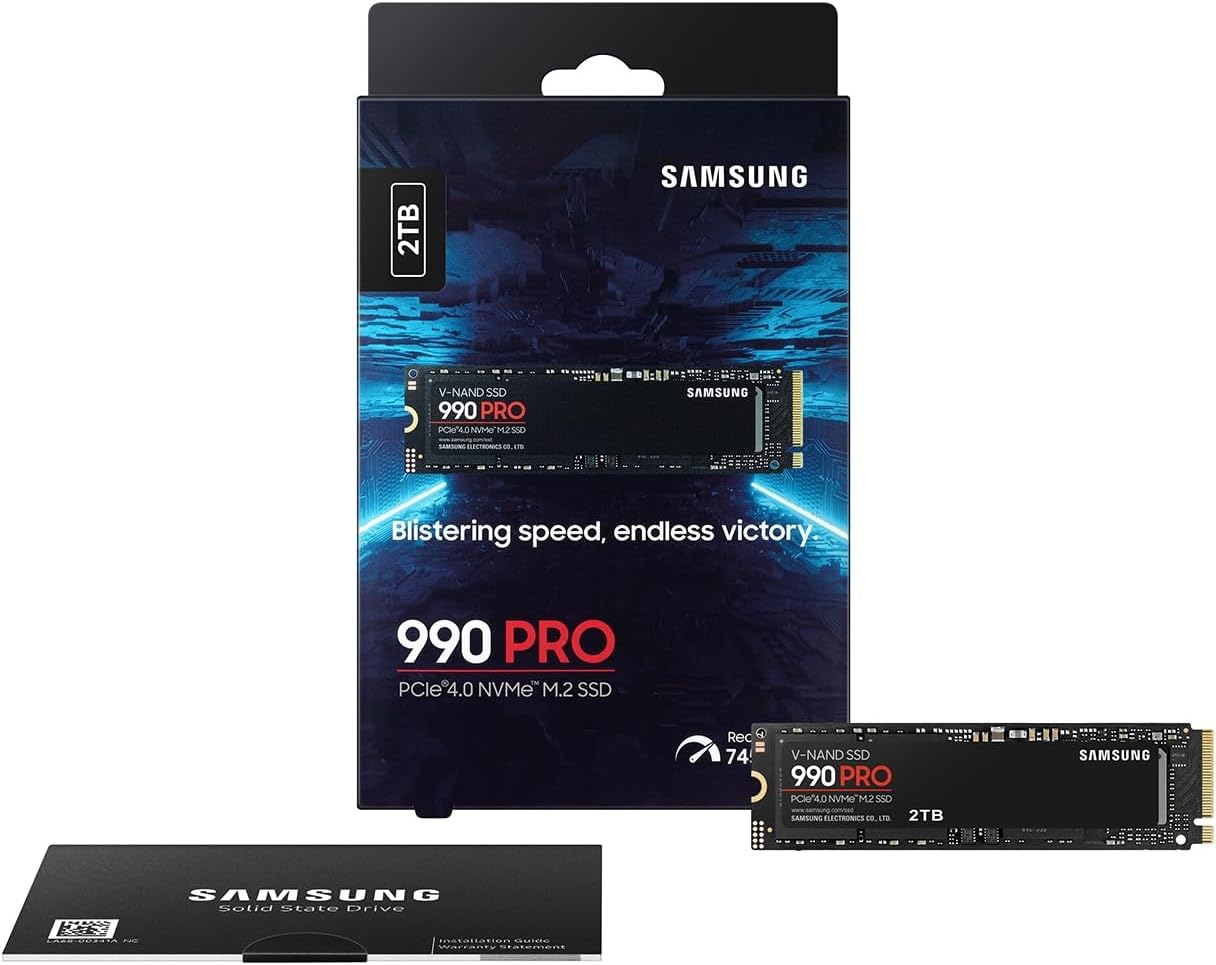
The solution is a drive engineered for peak performance and unwavering reliability. The Samsung 990 PRO is precisely that solution. It’s a powerhouse that leverages the full potential of the PCIe 4.0 interface to deliver blistering speeds and responsive performance across all your tasks. By eliminating storage-related bottlenecks, this single upgrade allows your entire system to operate with a fluid, seamless efficiency you have to experience to believe. It’s the key to unlocking your PC’s full power.
Deep Dive: Unpacking the Samsung 990 PRO
The Samsung 990 PRO isn’t just about raw speed; it’s a testament to refined engineering. Its Pascal controller and cutting-edge thermal management allow it to push sequential read and write speeds to the very limits of the PCIe 4.0 interface without overheating. This translates to near-instantaneous boot times and game loads that are over 50% faster than previous generations. It’s also optimized for Microsoft’s DirectStorage, ensuring a future-proof gaming experience. But the performance isn’t just for gamers—the **Samsung 990 PRO** is also up to 50% more power efficient than its predecessor, making it an excellent choice for laptop users and compact builds. Experience its full potential with Samsung’s intuitive Magician software, a user-friendly toolkit for monitoring drive health, optimizing performance, and securely managing your data. Click here to discover the unmatched craftsmanship behind the Samsung 990 PRO‘s impressive real-world performance.
Pros:
- Blazing-fast PCIe 4.0 speeds that maximize performance.
- Superior power efficiency and thermal management.
- Highly reliable with a 5-year warranty and high endurance rating.
- Comprehensive and user-friendly Samsung Magician software.
Cons:
- More expensive than some competitors.
- Not a PCIe 5.0 drive, so it doesn’t offer bleeding-edge speeds.
Your Next Essential Investment?
The Samsung 990 PRO is a perfect fit for the tech-savvy individual who values performance and reliability above all else. If you’re a gamer tired of waiting for loading screens, a creative professional who needs to handle massive files with ease, or a remote worker who demands instant responsiveness, this drive is your next essential upgrade. It’s designed for those who want a proven, top-tier product that just works—flawlessly.
The Definitive Choice for Your Setup
The **Samsung 990 PRO** is an investment in long-term efficiency and speed. It offers a perfect blend of high-end performance, proven reliability, and smart engineering that sets it apart from the competition. Stop compromising on speed and start enjoying a truly seamless computing experience. This is the SSD that professionals and gamers alike can trust to get the job done, day in and day out.
Get the Samsung 990 PRO on Amazon – 4.8 out of 5 stars
As an Amazon Associate, I earn from qualifying purchases.