In the relentless pursuit of the perfect visual experience, gamers, streamers, and remote workers often face a crucial decision: LCD or OLED? Each technology promises brilliant visuals, but they achieve them in fundamentally different ways, leading to distinct advantages and drawbacks. Are you chasing the deepest blacks and instantaneous pixel response, or do you prioritize consistent brightness and a potentially lower cost? This choice can significantly impact everything from competitive gaming performance to eye comfort during long work sessions.
The problem lies in understanding these core differences beyond marketing jargon. You need a display that enhances your productivity, provides unparalleled immersion for entertainment, and keeps you ahead of the curve. The solution is to weigh the unique benefits of each technology against your specific use case.
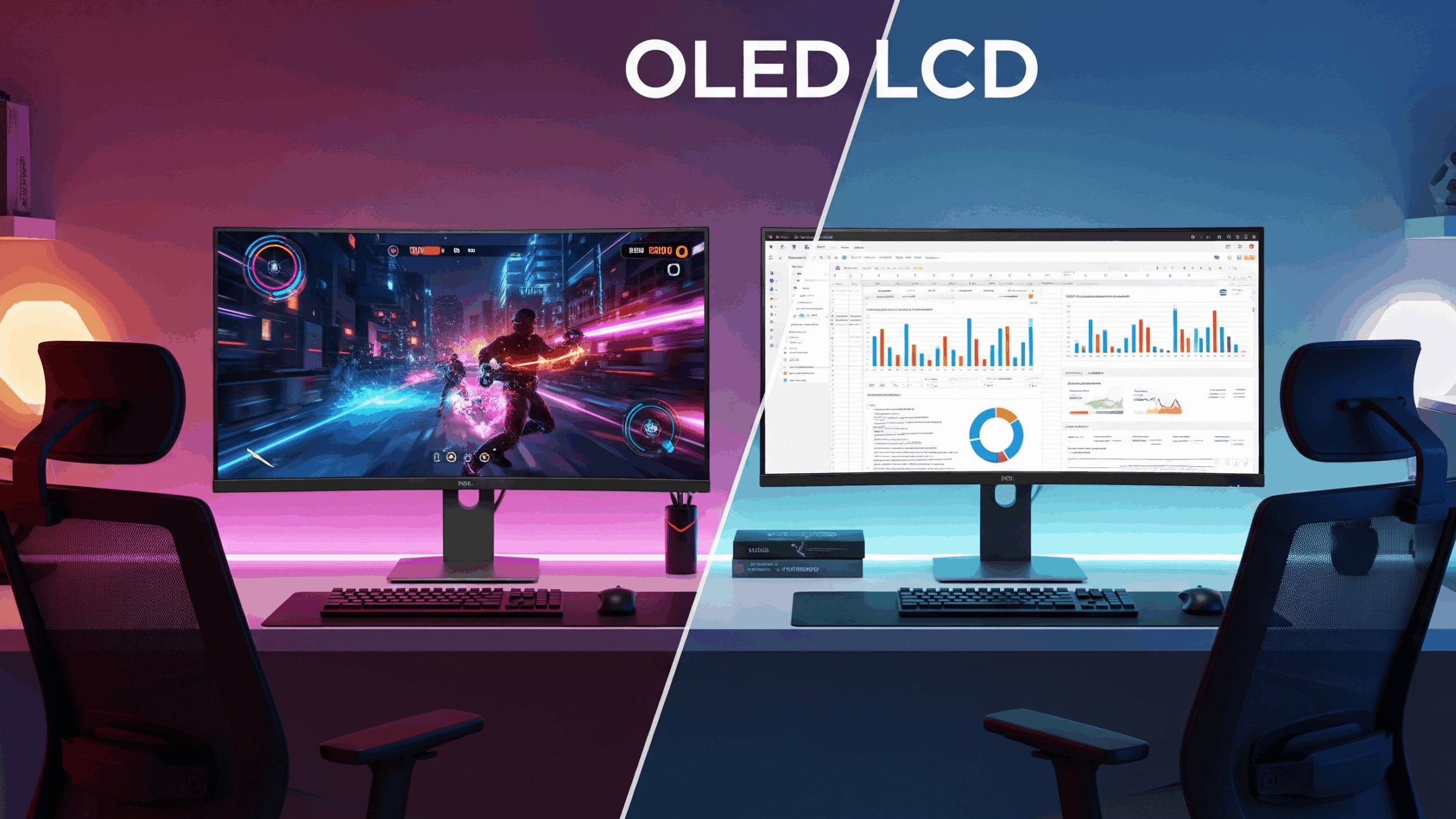
Let’s break down the battle of the pixels with two leading ultra-wide curved monitors, one representing the pinnacle of OLED and the other a high-performance LCD.
1. SAMSUNG Odyssey OLED G9 G95SC 49-inch Curved DQHD 240Hz 0.03ms DisplayHDR True Black 400 FreeSync Premium Pro Smart Gaming Monitor
4.6 out of 5 stars
Click to view on Amazon
This monstrous 49-inch OLED display from Samsung represents the cutting edge of monitor technology. Its QD-OLED panel means each pixel generates its own light, allowing for infinite contrast, true blacks, and incredibly vibrant colors, especially when paired with its 0.03ms response time and 240Hz refresh rate.
- Pros:
- Infinite Contrast & True Blacks: Each pixel can turn completely off, resulting in unparalleled black levels and contrast.
- Blazing-Fast Response Time: Near-instantaneous pixel response (0.03ms) eliminates motion blur and ghosting, crucial for competitive gaming.
- Vibrant HDR Performance: DisplayHDR True Black 400 delivers stunning highlights and rich, accurate colors.
- Smart TV Features: Built-in apps allow for streaming content without needing a PC, adding to its versatility.
- Cons:
- Higher Price Point: OLED technology remains more expensive than LCD.
- Risk of Burn-in: While mitigated by modern tech, static images over long periods can theoretically lead to burn-in (image retention), though this is less of a concern with dynamic gaming content.
2. Samsung Odyssey G9 49 inch LC49G95TSSNXZA Curved Gaming Monitor
4.6 out of 5 stars
Click to view on Amazon
This 49-inch Samsung Odyssey G9 is a powerhouse LCD (VA panel) monitor that has long been a favorite among gamers for its immense screen real estate and aggressive curve. While not an OLED, it pushes LCD technology to its limits with a high refresh rate, fast response time, and impressive brightness.
- Pros:
- Exceptional Brightness: LCD technology, particularly VA panels like this, can achieve very high peak brightness levels, ideal for bright rooms and impactful HDR.
- No Burn-in Risk: Unlike OLED, LCD panels are not susceptible to permanent image retention or burn-in, making them worry-free for static elements like HUDs or taskbars.
- Massive Immersive Display: The 49-inch super ultrawide and deep 1000R curvature provide an incredibly immersive experience.
- High Refresh Rate & Fast Response: 240Hz refresh rate and 1ms (GtG) response time deliver incredibly smooth and responsive gaming.
- Cons:
- Less Perfect Blacks: While good for an LCD, black levels won’t be as deep or uniform as OLED due to the backlight.
- Potential for Backlight Bleed/Glow: As with most LCDs, there’s a possibility of slight backlight bleed or “glow” in very dark scenes.
Synopsis:
The choice between OLED and LCD ultimately comes down to your priorities. For the absolute pinnacle of visual fidelity, contrast, and instantaneous response times, OLED technology, exemplified by the SAMSUNG Odyssey OLED G9 G95SC, is unmatched. Its self-emissive pixels deliver a viewing experience that truly draws you into the content with perfect blacks and vibrant colors. However, if consistent high brightness, complete peace of mind regarding burn-in, and often a slightly more accessible price point are critical, high-end LCD monitors like the Samsung Odyssey G9 LC49G95TSSNXZA offer a superb and highly immersive experience, pushing the boundaries of what LCD can achieve. For most users, especially those concerned about static elements on their screen over long periods, a premium LCD remains a fantastic, dependable choice. However, if you crave the ultimate in picture quality and gaming responsiveness, and are willing to invest, the OLED experience is truly next-gen.
As an Amazon Associate, I earn from qualifying purchases.